> For the complete documentation index, see [llms.txt](https://docs.frogy.com/llms.txt). Markdown versions of documentation pages are available by appending `.md` to page URLs; this page is available as [Markdown](https://docs.frogy.com/get-ready-to-go-live/paid-subscription/how-to-enable-paid-subscriptions.md).
# How to Enable Paid Subscriptions
Want to offer exclusive content to your fans? Here’s how to set it up:
{% columns %}
{% column %}
{% endcolumn %}
{% column %}
1. Click your **profile picture** in the top-right corner.
2. Open your **Profile** and go to **Edit Profile**.
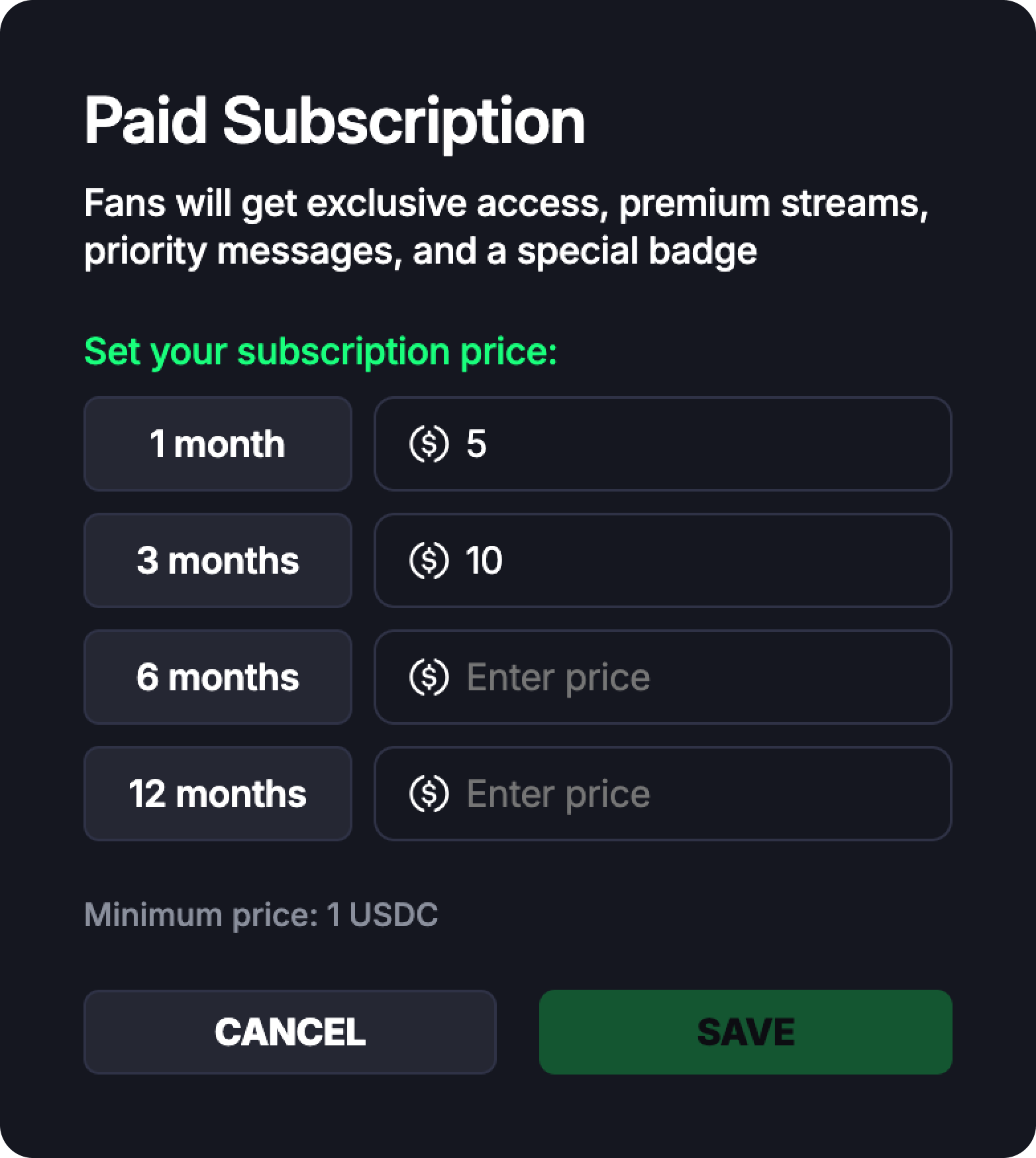
3. Scroll to the bottom and toggle **Paid Subscription** ON.
4. Set prices for **all subscription plans**: 1 month / 3 months / 6 months / 12 months
5. Click **Save** to apply the changes.
{% endcolumn %}
{% endcolumns %}
{% hint style="warning" %}
All four prices are required. If even one plan is left empty, the settings won’t be saved.
{% endhint %}
### Making a Stream Subscriber-Only
{% columns %}
{% column %}
Enabling paid subscriptions doesn’t automatically lock all your streams — you stay in full control.
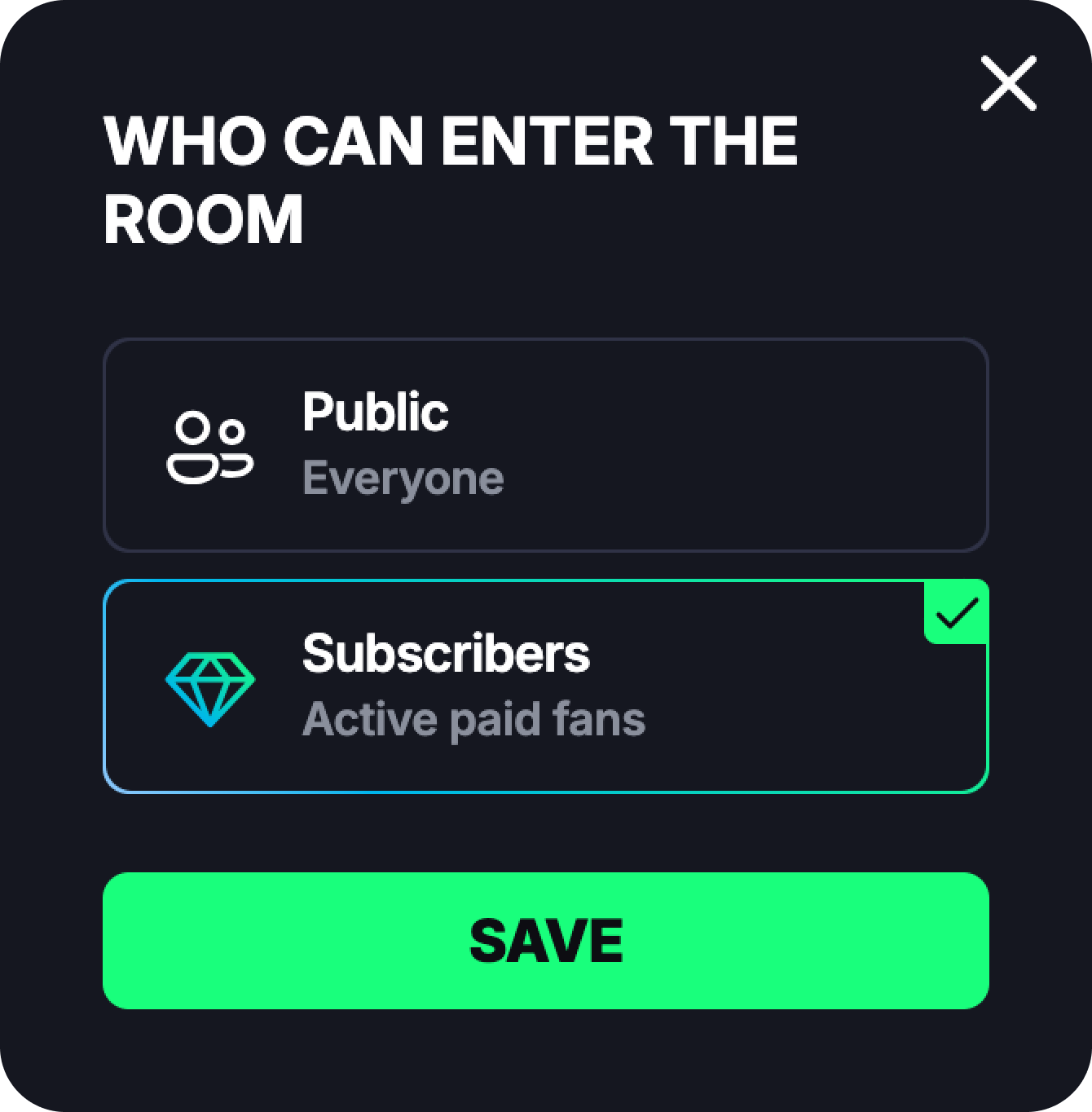
Before going live, in the **stream preview**, choose who the stream is for:
* **Public** (default) — anyone can watch
* **Subscribers** — only your **active paid fans** can join
Once you select **Subscribers**, the stream becomes exclusive.
{% endcolumn %}
{% column %}
{% endcolumn %}
{% endcolumns %}
### Paid Subscribers in Your Stream & Chat
When a paid subscriber joins your stream:
* You’ll see a **gold diamond badge** next to their name.
* They get **instant access to your chat**.
Just like with **tips and gifts**, paid subscribers don’t need to send a chat request —
👉 **your chat with them unlocks automatically**.
{% hint style="success" %}
This makes paid subscriptions a great way to build closer, more personal connections with your most loyal fans.
{% endhint %}
### Notifications & Earnings
Whenever someone subscribes to you:\
You’ll receive a notification via [**FROGY Alerts**](/get-ready-to-go-live/become-a-viewer/support-a-streamer-gifts-and-tips/chats/frogy-alert-chat.md), so you never miss a new supporter.
{% hint style="success" %}
The platform fee for subscriptions is 10%, the same as for tips and gifts. You keep **90% of your subscription earnings**, with instant USDC withdrawals — streaming on your own terms.
{% endhint %}