> For the complete documentation index, see [llms.txt](https://docs.frogy.com/llms.txt). Markdown versions of documentation pages are available by appending `.md` to page URLs; this page is available as [Markdown](https://docs.frogy.com/get-ready-to-go-live/starting-a-stream.md).
# Starting a Stream
Here’s some guidance and tips to help you start your very first broadcast.
First of all, we recommend[ setting up your profile](/lets-get-started/editing-your-profile.md) — personalize it with details about yourself so that viewers can get to know you better!
> #### To start your broadcast, click the **CAMERA** button in the lower-right corner. You can access this button from any page.
Before you go live, you’ll be asked to **allow access to your microphone and camera.**
{% hint style="info" %}
Don’t worry — your stream won’t start right away! You’ll first enter the **preview mode**, where you can adjust your camera, check your setup, and get ready.
{% endhint %}
Every stream must include:
* **Cover image** – to add yours, click **Edit**.
* **Title** – in the “**Add a stream title**” field, simply type in your stream’s name.
Without these, your stream can’t start — they’re essential because they represent the **face of your broadcast**.
{% columns %}
{% column width="41.66666666666667%" %}
{% endcolumn %}
{% column width="58.33333333333333%" %}
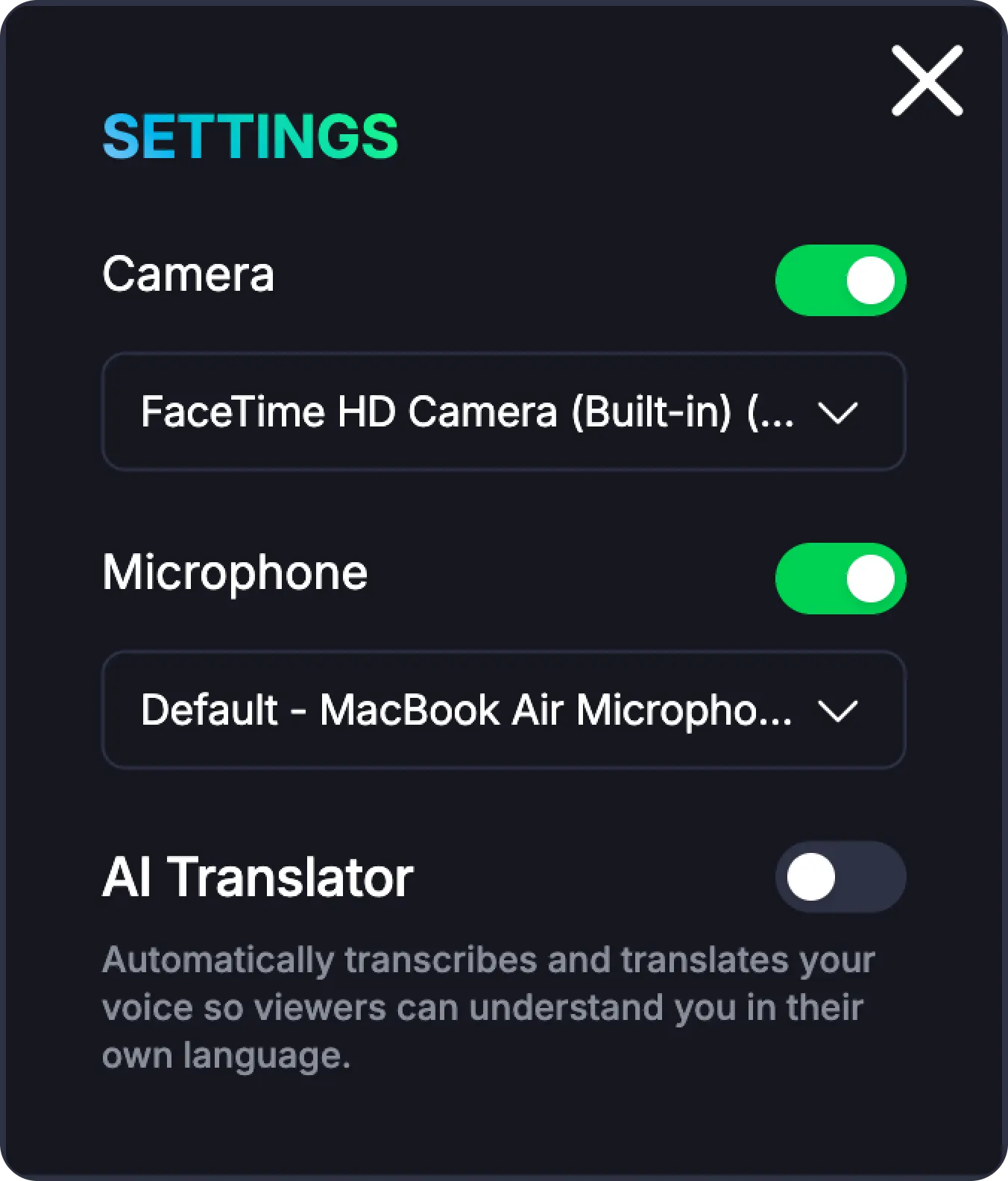
Below the stream title, you’ll find the **SETTINGS** menu.
* By default, both the **camera** and **microphone** are enabled, but you can turn them off or choose a different device before going live.
* You can also enable the **AI Translator**, which automatically transcribes and translates your voice so viewers can understand you in their own language.
{% endcolumn %}
{% endcolumns %}
{% hint style="success" %}
Don’t worry — turning off your camera doesn’t remove your [effects](/get-ready-to-go-live/effects-settings.md), it just temporarily disables them. Once you turn the camera switch back on, all your previous effects will reappear automatically
{% endhint %}
#### **Not Ready to Go Live Yet?**
If you’re not ready to start streaming, click **BACK** in the top-left corner. Your title and cover image won’t be saved, but don’t worry — all your effect settings will stay! No matter where you started your setup, pressing **BACK** will take you to the [**Main “Live” Page**](/lets-get-started/live-feed-overview.md).
> **SHARE Button:**\
> On this screen, you’ll also find the familiar **SHARE** button in the top-right corner. It lets you copy the link to your profile so you can share it with others anytime.